One official exchange rate, written into every client system the day it publishes
Records the National Bank of Cambodia's daily official KHR/USD rate and writes it into a client's ERP or POS. Started as a small Odoo module, now a standalone subscription product.
The situation
Businesses in Cambodia price and report in two currencies, and the official KHR/USD rate that accounting has to use is set once a day by the National Bank of Cambodia. Somebody looks it up and types it into the ERP, or the point of sale, or both. Miss a day and the books are wrong in a way that is tedious to unpick later.
It began as a small Odoo module for one client. The same manual step existed in every other system those clients ran, so the module became a product.
What I did
End to end: the fetch and validation against the central bank, the rate store, the connection model and the schedule each client chooses, the integrations into each supported system, the alerting, the client dashboard, and the subscription that pays for it.
System diagram
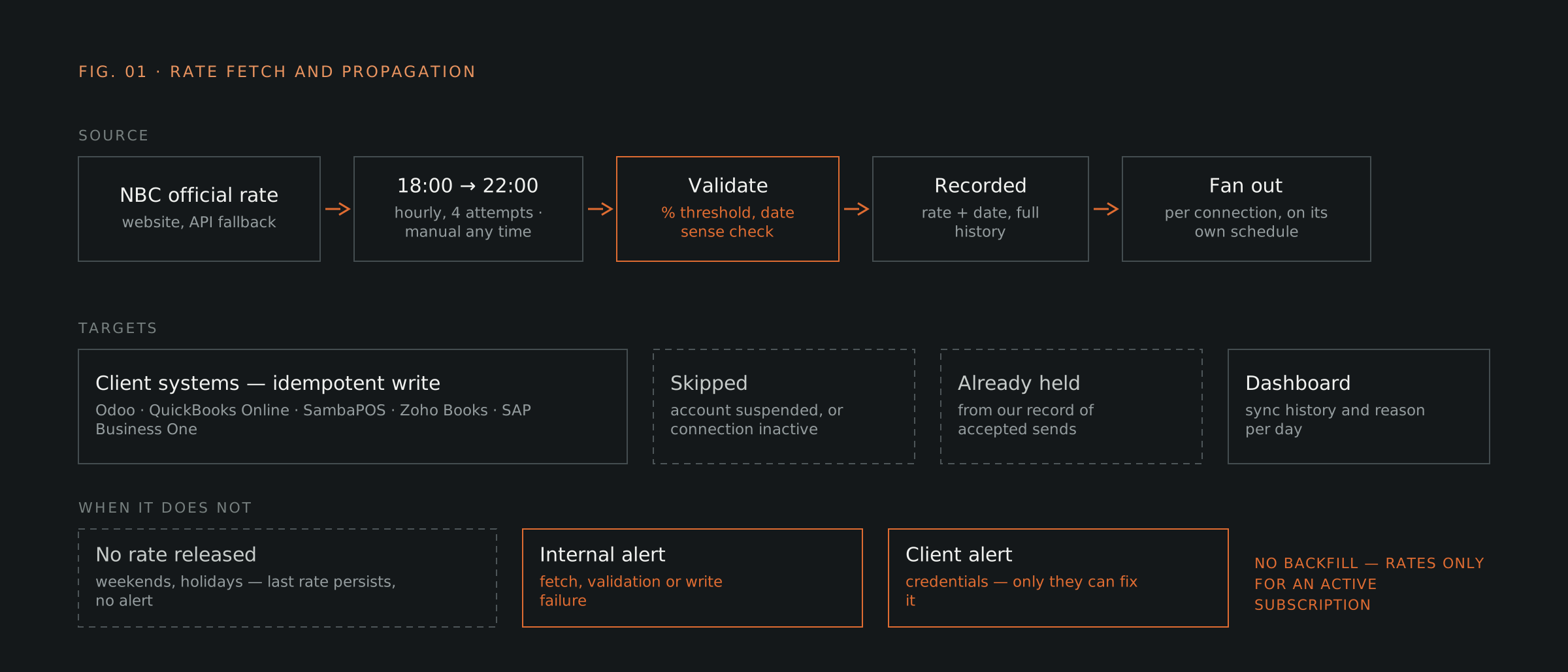 , expand
The rules in the flow are only visible in three places
The flow decides what each connection gets and what happens when one of them does not take it. None of that is any use to the operator unless it can be seen, so the same logic surfaces as three screens: the rate as it was fetched, the connections it went out to, and the history of what each one did with it.
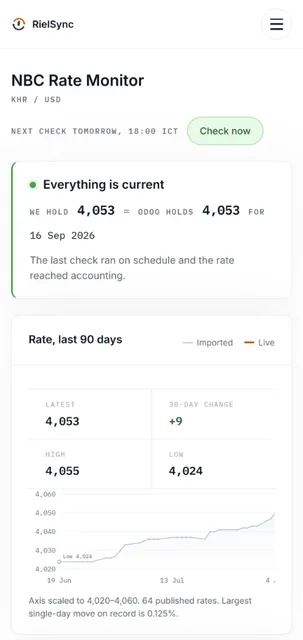
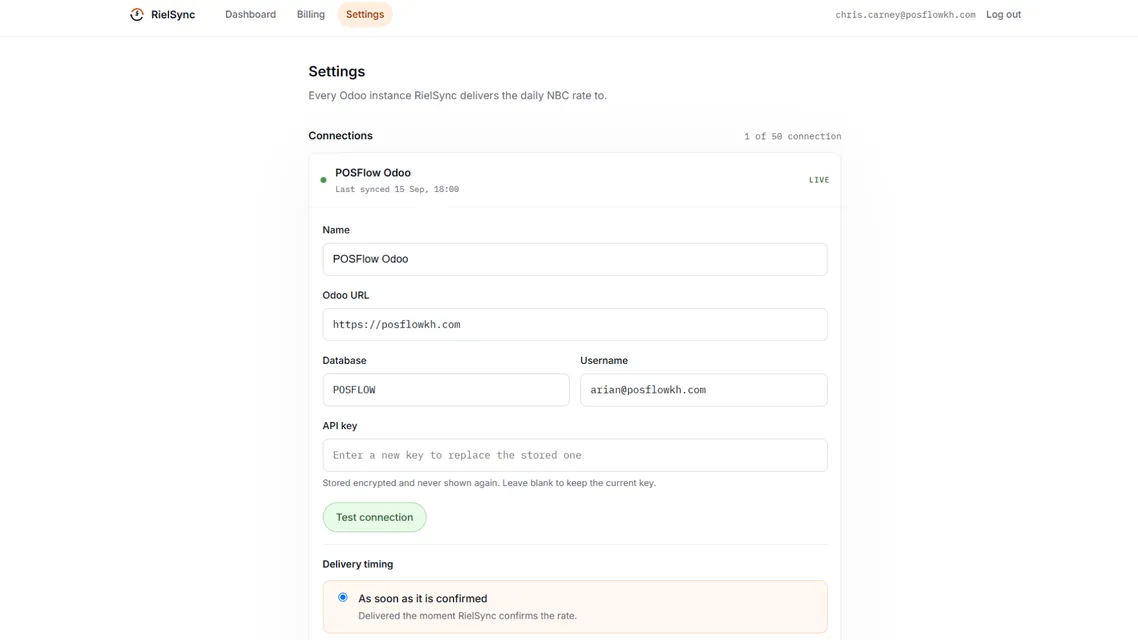
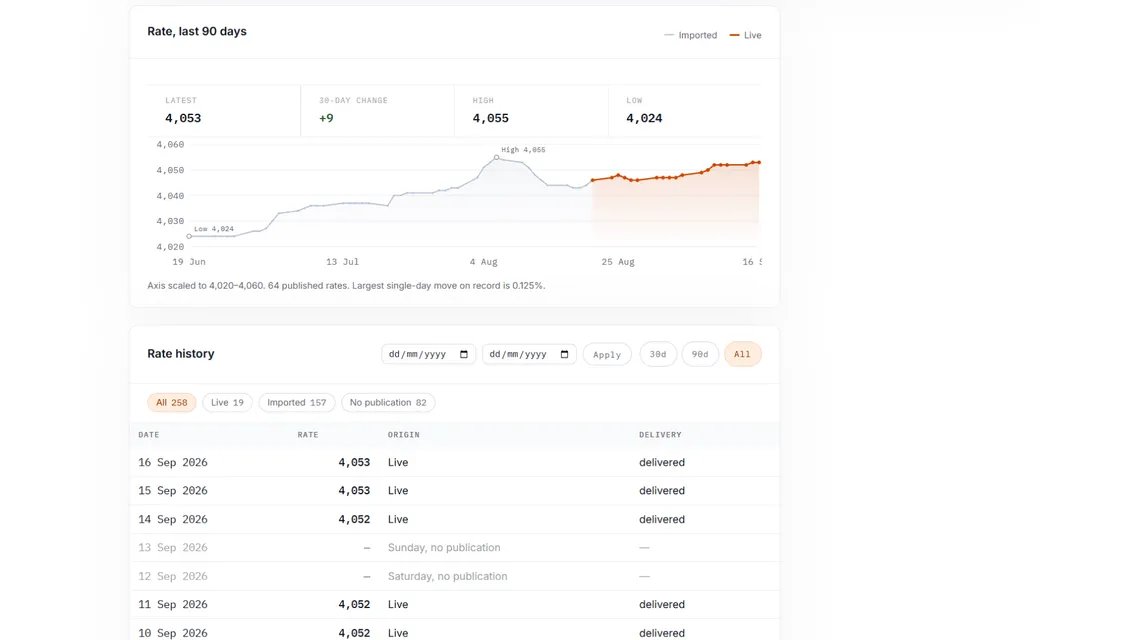
FIG. 02 — ONE RATE, MANY CONNECTIONS, AND WHAT THE OPERATOR SEES WHEN ONE OF THEM DOES NOT TAKE IT.
Key decisions and tradeoffs
Three decisions that shaped the build, the alternative in each case, and what the choice cost.
Four hourly attempts in the evening, rather than a retry loop
No backfill
Credential failures email the client, write failures email me
Current status
Live and running daily on a subscription. The client does nothing in the flow. They touch RielSync only to resolve a payment issue or to add, update or remove a connection.
A stale rate is a normal state, not a fault. No rate is released at weekends or on public holidays, so the client system holds the previous day's rate as the latest known, and the dashboard says why.
Five systems are supported today, and others are possible after a check against their API.
Supported systems and sources
| Target | Write | History |
|---|---|---|
| Odoo | Rate and date, idempotent | Accumulates |
| QuickBooks Online | Rate and date, idempotent | Accumulates |
| Zoho Books | Rate and date, idempotent | Accumulates |
| SAP Business One | Rate and date, idempotent | Accumulates |
| SambaPOS | Single value field, overwritten | Stamped per ticket |
The rate is read from the National Bank of Cambodia public site, with the official rate API as a fallback. A rate that fails the plausibility threshold or the date check is not stored. It raises an email alert for me to look at instead.
Have a system that half works and nobody wants to touch?
A systems review puts the situation, the cost and the options in writing.